
 PostGIS
 Mobile
 QGIS
QGIS MapBender
 GeoServer
 GeoNode
 GeoNetwork
 Novella
 Solutions




























 AcuGIS
538e0e2356
AcuGIS
538e0e2356
|
||
|---|---|---|
| docs | ||
| help | ||
| images | ||
| lang | ||
| scripts | ||
| .gitignore | ||
| .readthedocs.yaml | ||
| README.md | ||
| changelog.md | ||
| config | ||
| config.info | ||
| edit_oci.cgi | ||
| index.cgi | ||
| install_oci.cgi | ||
| module.info | ||
| oci-lib.pl | ||
| php_install.cgi | ||
| setup.cgi | ||
README.md
Oracle Instant Client
Webmin Module for installing Oracle Instant Client
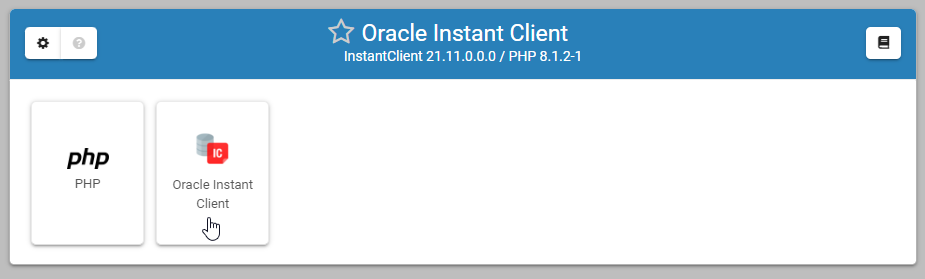
About
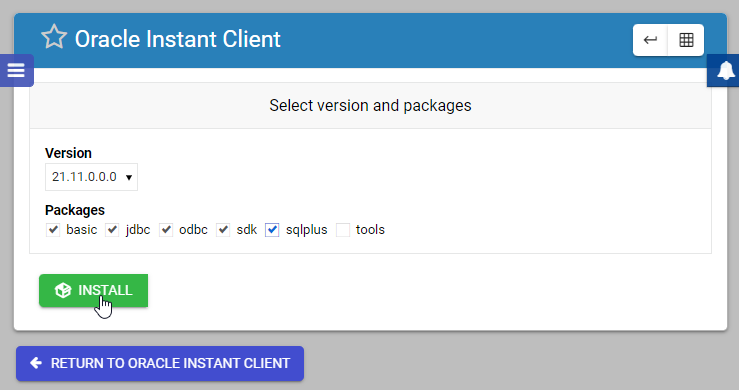
Installs Oracle Instant Client Basic, jdbc, odbc, sdk, sqlplus, and tools packages
Supported Operating Systems
Ubuntu 22
Rocky Linux 9
Alma Linux 9
Install via Webmin
Webmin->Webmin Configuration->Webmin Modules->From ftp or http URL
URL: http://github.com/cited/Oracle-Instant-Client/raw/master/scripts/Oracle-Instant-Client.wbm.gz
Go to Servers->Apache Tomcat to complete set up using the setup Wizard (you may need to refresh page).
Install via Script
Ubuntu (as root):
wget https://raw.githubusercontent.com/cited/Oracle-Instant-Client/master/scripts/ubuntu.sh
chmod +x pre-install.sh
./pre-install.sh
Rocky Linux or Alma Linux (as root):
wget https://raw.githubusercontent.com/cited/Oracle-Instant-Client/master/scripts/alma-rocky.sh
chmod +x pre-install.sh
./pre-install.sh
Go to Servers->Apache Tomcat to complete set up using the setup Wizard.
Install via GIT
As Root:
git clone https://github.com/cited/Oracle-Instant-Client
mv Oracle-Instant-Client oci
tar -cvzf oci.wbm.gz oci/
Upload from Webmin->Webmin Configuration->Webmin Modules
Go to Servers->Oracle Instant Client (you may need to refresh page)
Issues
Please report issue here
Screen Shots
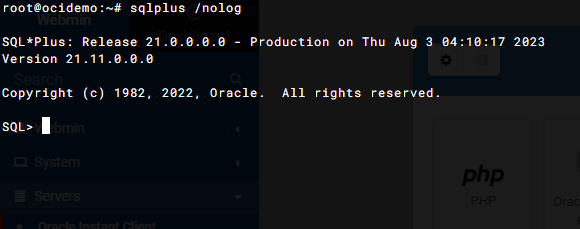
SQLPlus Connection via Webmin Terminal
Copyright
- Copyright AcuGIS, 2023
- Copyright Cited, Inc., 2023
